Blog

LÖVE Glitches

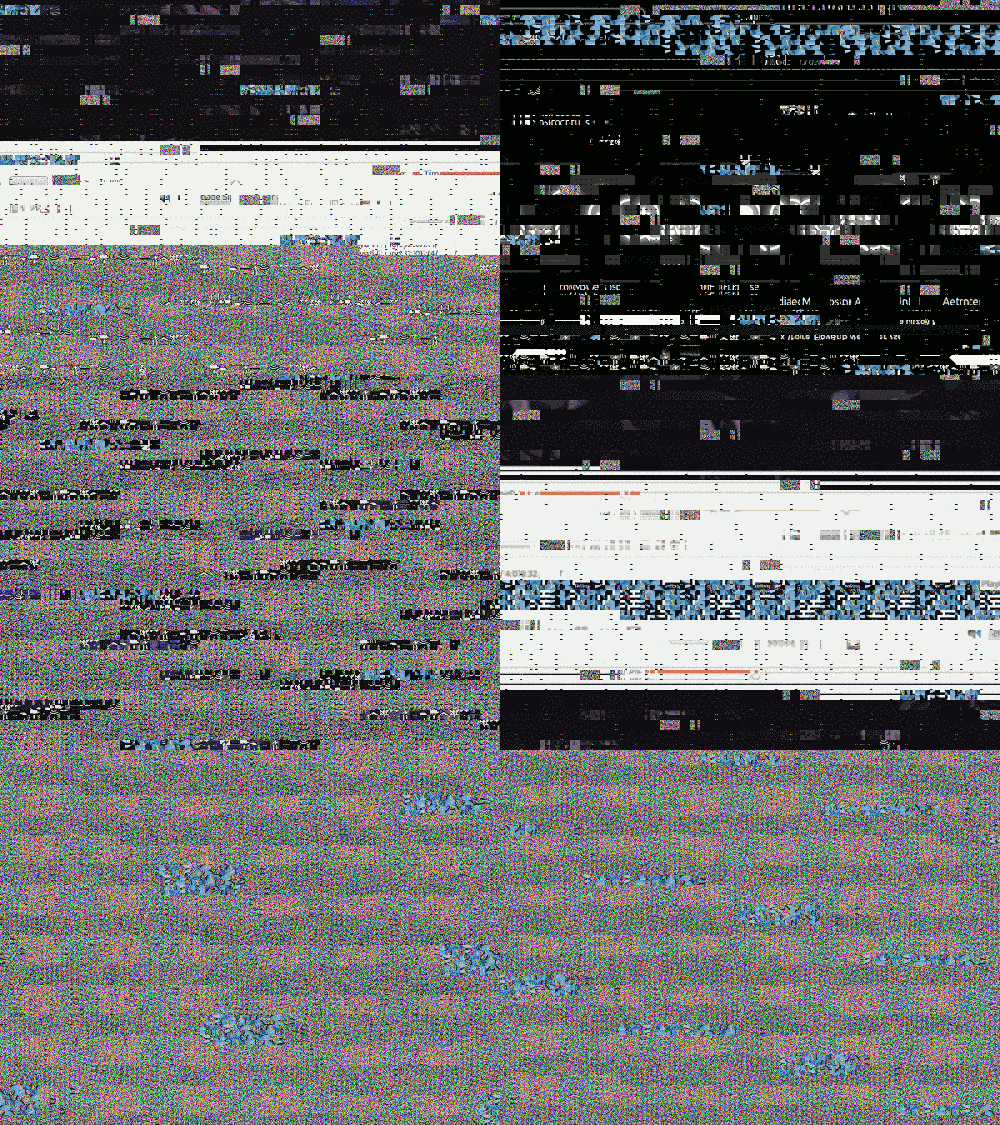
Whilst I was in Venice for the Laptop Meets Musicians festival with BiLE I had the pleasure of (finally) meeting {rukano} who later showed me this really awesome way of displaying uncleared video memory with LOVE and LICK. I’m using Ubuntu 11.04 with LÖVE version love_0.7.2-0natty2_i386.deb.
LÖVE glitches

Once you have downloaded and installed LÖVE and LICK (instructions for different platforms are provided on their websites) create the following files:

main.lua

require "LICK" require "LICK/lib" lick.reset = true lick.clearFlag = true

function love.load() fb = love.graphics.newFramebuffer(800,600) end

function love.draw() love.graphics.draw(fb, 0, 0) end

function love.keypressed (a) print(a) if a == " " then fb = love.graphics.newFramebuffer(800,600) end end

conf.lua

function love.conf(t) t.modules.joystick = true -- Enable the joystick module (boolean) t.modules.audio = true -- Enable the audio module (boolean) t.modules.keyboard = true -- Enable the keyboard module (boolean) t.modules.event = true -- Enable the event module (boolean) t.modules.image = true -- Enable the image module (boolean) t.modules.graphics = true -- Enable the graphics module (boolean) t.modules.timer = true -- Enable the timer module (boolean) t.modules.mouse = true -- Enable the mouse module (boolean) t.modules.sound = true -- Enable the sound module (boolean) t.modules.physics = true -- Enable the physics module (boolean) t.console = false -- Attach a console (boolean, Windows only) t.title = "live_testproject" -- The title of the window the game is in (string) t.author = "Your Name Here" -- The author of the game (string) t.screen.fullscreen = false -- Enable fullscreen (boolean) t.screen.vsync = true -- Enable vertical sync (boolean) t.screen.fsaa = 0 -- The number of FSAA-buffers (number) t.screen.height = 600 -- The window height (number) t.screen.width = 800 -- The window width (number) t.version = 0 -- The LÖVE version this game was made for (number) end

Compile all of this code into something like Glitch.love. Instructions for this may be different for different operating systems. Before launching the program be sure to first open lots of videos and images. Once you’ve done that, launch the Glitch.love program and press spacebar to cycle through your uncleared video memory!

Shoutouts go to Tilmann Hars, who first showed this trick to rukano and who maintains the LICK library.

p.s. I’m still trying to find out how to do this kind of stuff using Pure Data. If anyone knows how please let me know!


Self-inflicted Haircut

I provided some post-production effects for a new video by local jazz/metal fusion outfit Meatfeast.

Meatfeast EP & Music Video Release Party!

They’re doing a release party for the video and for their new EP on 5th August 2011 at Scruffy Murpheys, Dale End, West Midlands, B4 7LN, Birmingham, UK [map]. More information is available at the Facebook Event invite. Hopefully they’ll be showing the finished video, which will include my work, otherwise a rough edit will be shown.

Regardless, I’ll be sure to share the video when it’s finally up on t’internet.


Glitched Badges

Yo dawg, I herd you like badges...
Yo dawg, I herd you like badges…

A limited amount of glitched badges featuring stills from this video are now available for £2.25 plus postage and packaging. Sold in packs of two randomly chosen designs. Can also be exchanged for beer

Glitched Badges


Adventures in Vector Quantization

Ever since seeing Radio Dada by Rosa Menkman I’ve been forever trying to reproduce the style of compression/glitches it uses.

In my limited knowledge about the production of the video I do know what it uses compression artifacts found in the Cinepak codec. So, I set out to try and find a way of converting a video to a video that uses the Cinepak codec. If you’ve been following me you’ll that I’ve asked for help on many fora and mailing lists for help with initially little success.

Hidden somewhere in the documentation for MEncoder is a page detailing how to use Windows codecs on Linux for encoding. The copy of the Cinepak codec (iccvid.dll) that came with MEncoder/medibuntu was a bit broken so I had to use Google to download a new version.

Once I had that I used MEncoder to convert a video to an avi with the Cinepak codec. (I’m using mencoder version 2:1.0svn33951natty):

mencoder infile.avi -ovc vfw -xvfwopts codec=iccvid.dll -oac mp3lame -o outfile.avi

Unfortunately for me this did not produce the compression artifacts that I was after. I tried reencoding the video using the Cinepak codec several times but this only just made the video darker:

Cinepak encoding

(Original video)

Also, my attempt to encode the video using the Cinepak codec but with a low bitrate didn’t work as, at least when using MEncoder, the codec doesn’t have any encoding options. Drats! With that said, if anyone knows of a way of encoding using Cinepak with low/different bitrates on Linux using only freely available/open source software please do let me/the world know.

After this I felt very disheartened until I did a little bit of digging into the actual codec. I discovered that this codec is one of a few is based on Vector Quantization. I don’t know much about this but I felt that this must be the key. The video codecs that are based on Vector Quantization are Sorenson, Indeo and VQA.

I had no luck finding a way of converting to Sorenson and Indeo. However, I’ve had more luck with VQA. Wikipedia has a bit of information on the codec:

Vector Quantized Animation, known by its acronym VQA is a file format originally developed by Westwood Studios for video encoding in their game The Legend of Kyrandia and monopoly.

If you ever came across a Sega Saturn you probably will have come across videos encoded using VQA. As that Wikipedia article states, apart from the one used by Westwood Studios, only one VQA encoder exists. VQA Encoder v0.5 beta 2 by ugordan is the only known VQA encoder and luckily it works perfectly using Wine (I’m using version 1.2.3-0ubuntu1~ppa1) on Ubuntu 11.04. You’ll have to download some additional DLLs. Just do some research to find out which ones.

In order to use the software you need to convert your video to image files. I’ve had luck with converting the video to PCX files using FFMPEG:

ffmpeg -i infile.avi -sameq outfile_%03d.pcx

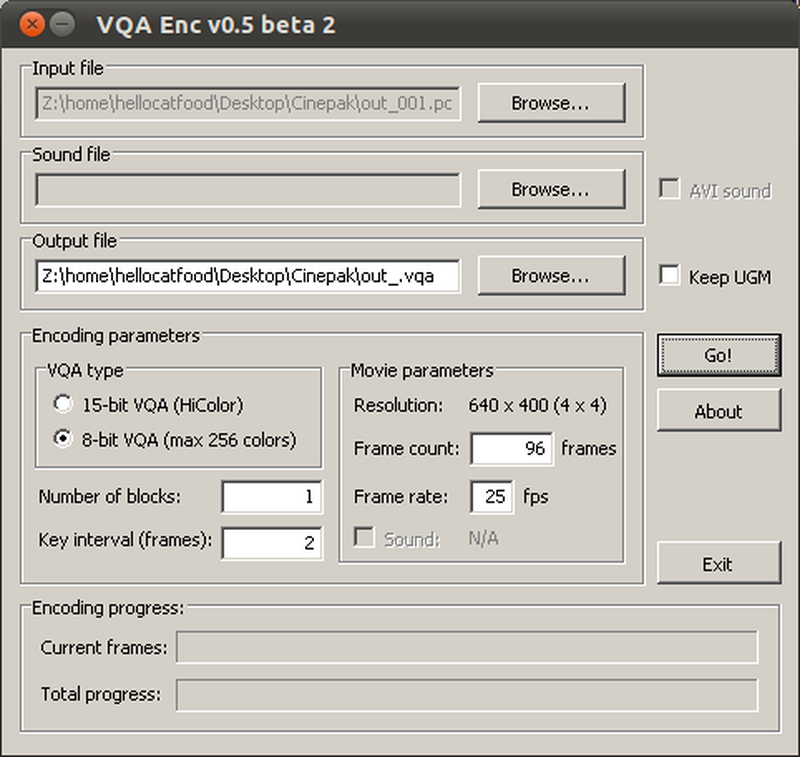
Then, in the VQA Encoder v0.5 beta 2 copy these options:

VQA encoder options
VQA encoder options

The program will automatically recognise that there are many images in the folder. After encoding has finished you should have a file called out_.vqa. In FFMPEG execute:

ffmpeg -i out_.vqa -sameq outfile.avi

You should now have a video that has similar compression to the Cinepak codec used with low bitrates:

VQA encoding

(Original video)

Brilliant! Well, not so brilliant. The problems with using this software are the following:

  • The software is no long being updated
  • Because of this it could stop working at any time and no support would be offered
  • It can only output video at 640x400, which you can see by the way it crops the video
  • It isn’t open source, though that only matters if you exclusively use open source software

So, is there any other way to achieve these compression artifacts, preferably using open source software?


BiLE at SONICpicnic, 29th July 2011

BiLE will be performing alongside a whole host of musicians at SONICpicnic on 29th July at VIVID.

SOUNDkitchne SONICpicnic
I designed this. Word to your mother.

BiLE had their very first performance at the first SOUNDkitchen event - see, we’ve got proof - so we’re really happy to be performing again.

We’ll be performing a few pieces including XYZ, which was recently played in Venice at the Laptop Meets Musicians Festival. You can see a preview of the visuals that I’ve prepared for it below:

I’ll also be doing visuals for the whole night alongside Chromatouch