Blog

Live coding at fizzPOP

Ever since I went down to an Openlab workshop last year I’ve been fascinated by live coding. From Wikipedia:

Live coding (sometimes known as ‘interactive programming’, ‘on-the-fly programming’, ‘just in time programming’) is the name given to the process of writing software in realtime as part of a performance.

I thought about doing live coding for myself ever since, so at fizzPOP’s latest hack session I thought I’d make use of massive screen and try a bit out for myself using a purpose-built program called Fluxus, which uses the Scheme programming language.

fizzPOP Hack Session: 18th February (by hellocatfood)

I had briefly looked at Fluxus before but had never actually built anything in it or even used Scheme before, so stuck to modifying one of the example scripts provided in the program. Here’s a video of my results:

You can see that an aspect of live coding is seeing how something is built, which could explain the decision to overlay the code over the visuals. I quite like it, some might not.

I’ll be attempting to do some more livecoding at the next fizzPOP hack session on March 3rd


Dataface update

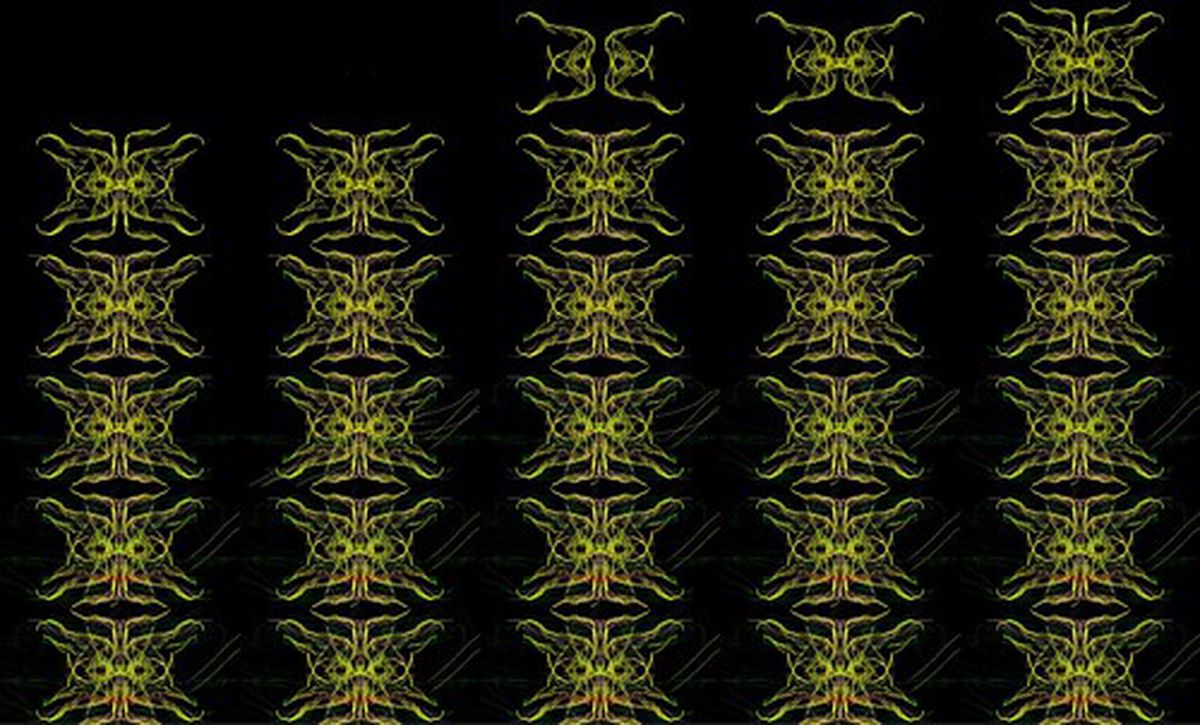
You may remember from my earlier blog post that I’ve been working on a databent typeface. It was mentioned a fair while back now, but I have been doing bits of work on it every now and then. Here’s a bit of my progress so far:

Dataface update

Ass you can see some of the characters are more recognisable than others. In fact, looking at it again I can’t really remember what some of them were. As I’m planning on having most characters mapped out, in upper and lower case, progress will be a bit slow, so I’ll aim for April for a completed font.


Visualising BitJam

On Thursday 4th February I was Stoke-on-Trent for BitJam. I still don’t have anything ready to show on stage but thought I’d use the night as a testing ground for some of my ideas. I wanted to investigate ways in which to interpret what was happening around me. The main performance of the night was from a chap called Arctic Sunrise

For my first test I fired up Alchemy and attempted to draw the music. Alchemy fortunately has a few tools that can make your sketches react to sounds. They are Create > Mic Shapes and Affect > Mic Expand. Here’s the result of using both of them together

Visualising BitJam (by hellocatfood)

And a nice little animation of those done using GIMP and Openshot.

The next method was to use the Echobender script on a webcam pointing at the stage. Obvious errors in the sound recording actually kinda complimented the video. However, I’m a lil bit disappointed by the speed of the script at the moment. I may investigate doing something similar in Processing.

The final method involved a bit of post-processing. I made a short compilation of clips I shot at BitJam and then opened the video in a text editor and replaced loads of text with other text. The output was then reencoded using Avidemux

So, there you have it! Now to figure out how I can turn this into some sort of performance


Echobender

Myself and Mez recently finished a script called Echobender that automatically databends images.

[Click to view on GitHub](https://gist.github.com/hellocatfood/6732118#file-echobender-sh)
Click to view on GitHub

To use it you’ll need:

  • A computer with Linux installed. I don’t have a Windows or Mac PC so I can’t test it on those
  • Sox. On Ubuntu you can install it via sudo apt-get install sox
  • Convert, which is part of ImageMagick. On Ubuntu you can install it via sudo apt-get install imagemagick

Once you have those installed just execute ./echobender.sh from the terminal and then drop a .jpg or .bmp file into it. The output will be in a folder called “echo”.

If you look closely at the script you can see a way to convert any data into an image! I’ll leave that one up to you… Here’s the source code for all those interested:

#!/bin/sh -e
# Echobender
# By Antonio Roberts and Martin Meredith
# www.hellocatfood.com | www.sourceguru.net
# GNU/GPL

segons=`(date "+%Y%m%d%H%M%S")`
outfile="${segons}"

if [ ! -d ./echo ]; then
	mkdir ./echo
fi
clear
echo -e "\033[31m---------------------------------------------------- \033[0m"
echo -e "\033[33m Echobender \033[0m"
echo -e "\033[32m---------------------------------------------------- \033[0m"
echo -e "\033[35m---------------------------------------------------- \033[0m"
read -p "DROP A FILE HERE> " foo
echo -e "\033[32mLets bend $foo \033[0m" 
echo -e "\033[35m---------------------------------------------------- \033[0m"
foo="$(echo $foo | sed -e "s/'//" | sed -e "s/'//")"
bn=$(basename $foo | sed -e 's/\.[a-zA-Z0-9]*$//')
imsize=$(identify -format "%wx%h" $foo)
cp $foo ./echo
convert ./echo/${bn}.* ./echo/${bn}.bmp
cp ./echo/${bn}.bmp ./echo/${bn}.raw
sox -r 482170 -e u-law ./echo/${bn}.raw ./echo/${bn}2.raw echo 0.8 0.9 5000 0.3 1800 0.25 
convert -size $imsize -depth 8 rgb:./echo/${bn}2.raw ./echo/${bn}.$outfile.bmp
rm ./echo/${bn}.raw ./echo/${bn}2.raw ./echo/${bn}.bmp ./echo/${bn}.jpg
echo -e "\033[33mJob done. Check ./echo \033[0m"
echo -e "\033[31m---------------------------------------------------- \033[0m"

Thanks to Imbecil’s MPegFucker script for much of the inspiration.


Streams of data

One of my overall goals is to find a way to databend live video. I’m sure there’s a way to do it with Processing and PureData but I’m not yet proficient in those programs so they’re out of the question for now. In the meantime I thought to try and hack the Echobender script to databend my webcam images.

tonyg provides a great tutorial on how to convert live webcam images into audio, which I’ve used as a starting point for my hack.

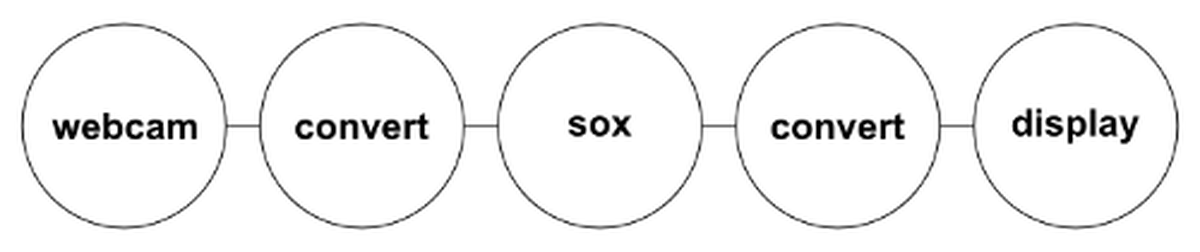
The process for making it works is as follows: Streams of data

  • Images from the webcam are saved to the computer
  • These are converted to a .bmp file then renamed to a .raw file
  • Sox applies an audio effect to the .raw file
  • The .raw file is converted back to a .bmp then to a .jpg
  • The updated webcam image is displayed to a window and updated once every second

Sound overly complicated? It probably is. Like the Echobender script you’ll need ImageMagick and Sox but we’ll also be using Webcam, which you can install via sudo apt-get install webcam

If you haven’t already, create a file called .webcamrc in your home directory (/home/yourusername) and enter this text into it:

[grab] delay = 0 text = “”

[ftp] local = 1 tmp = uploading.jpg file = webcam.jpg dir = . debug = 1

Now create a file called grabframe, place it in your home directory and fill it with this:

#!/bin/sh

while [ ! -e webcam.jpg ]; do sleep 0.1; done convert webcam.jpg frame.bmp cp frame.bmp frame.raw sox -r 482170 -e u-law frame.raw frame2.raw echos 0.8 0.9 5000 0.3 1800 0.25 convert -size 640x240 -depth 4 rgb:frame2.raw -trim -flip -flop output.bmp convert output-0.bmp output.jpg

To start things running, open up three terminal instances:

  • In shell number one, run webcam.
  • In shell number two, run “while true; do ./grabframe ; done.
  • In shell number three, run display -update 1 output.jpg

Voila!

I know it’s quite slow, but I haven’t yet found a way to update faster and it’ll still be restricted by the time it takes Sox/ImageMagick to perform their conversions.

Thanks again to tonyg, Imbecil and Mez for their help and inspiration