Datamoshing using Avidemux 2.7.0
Ever since I came across datamoshing in around 2010 via Bob Weisz’s infamous datamoshing tutorials I have only successfully created a few datamoshed videos “by hand”.
Most times the video I created would be completely broken and not in a good way! And so since them I have used semi-automated datamosh scripts for my needs, like Autodatamosh from grampajoe.
Recently as part of my lecturing role at Staffordshire University I was asked to do a workshop on datamoshing. “This will be easy” I thought as I would just dig up Weisz’s tutorials and teach that. Sure, I couldn’t datamosh back in 2010, but since then I have become way more competent in creating glitch art, learning how software works and programming in general, so learning this widely practiced process didn’t seem impossible.
Of course I was wrong.
Y’see, in the 8 years since I came across datamoshng there have been a lot of changes. Specifically, Avidemux 2.5.4, which was released in 2010 and is the version referenced in Weisz’s tutorial, has been superseded many times and is currently at version 2.7.0. From reading different community pages it was my understanding that the changes in this new version (apparently) “fixed” or “corrected” features that allowed it to be (mis)used to make datamoshed videos. For the unaware, Avidemux is free and open source software that can be used for editing video files. It’s not an NLE, but if you need to make a quick edit to a video it can be useful. It’s also the gold standard for datamoshing.
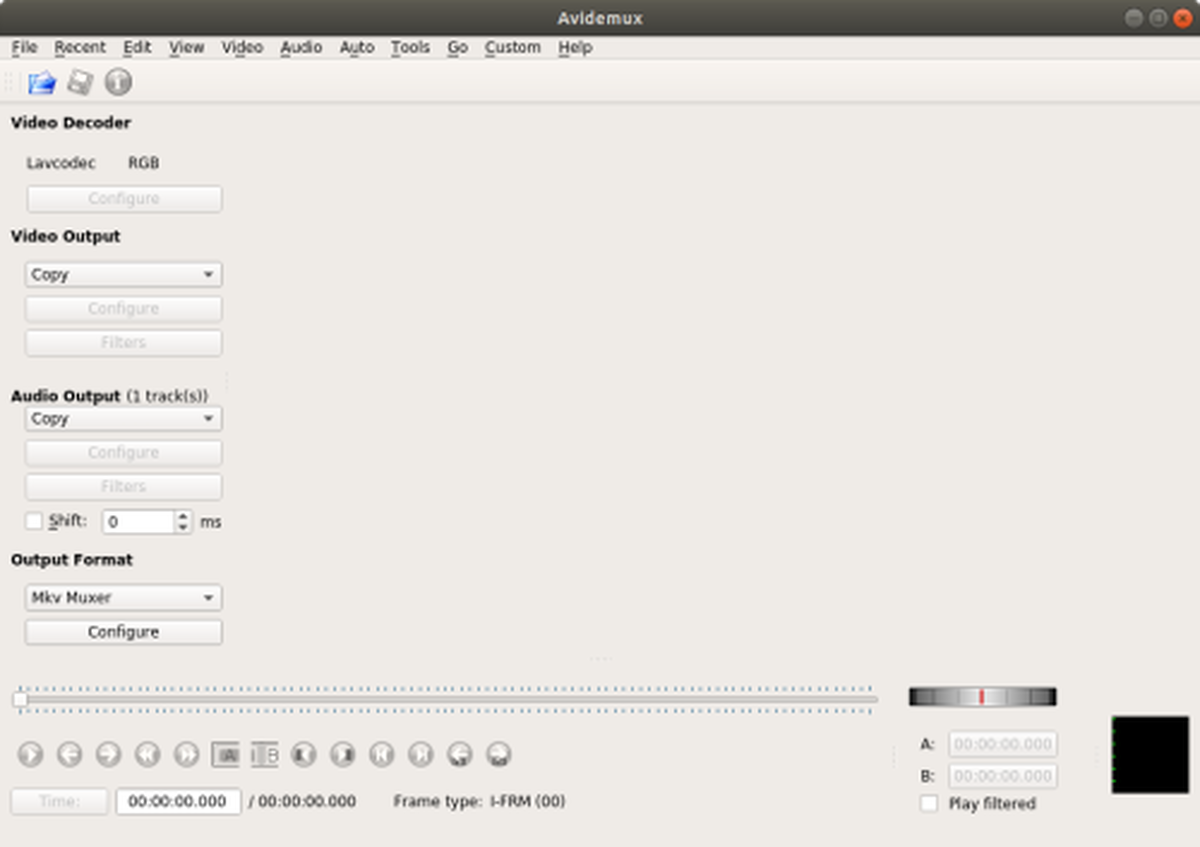
As a workaround various people have suggested ways to use the 2.5.4 version of Avidemux, even to go as far as running an old OS on a virtual machine or not updating ever. Whilst this might work for now it’s not a recommended or sustainable. In time your OS will outgrow the software which will make it or impossible to install, and old software can introduce security bugs (yes, even buggy video editors can compromise your system). So I set about trying to provide a fix and datamosh a video using Avidemux 2.7.0. Below are my results.
After downloading Avidemux 2.7.0 you will need to do convert your video to the right format for datamoshing. Grab your input video and drag it into Avidemux. For my example I’m using this clip of a person getting hit with a balloon in slow motion.
Under the Video Output change Copy to Mpeg 4 AVC (x264). Click on Configure. In this window click on the on the Frames tab and under B-frames change “Maximum Consecutive B-frames to 0”, and under I-frames change GOP- Size Minimum to 0 and Maximum to 999.
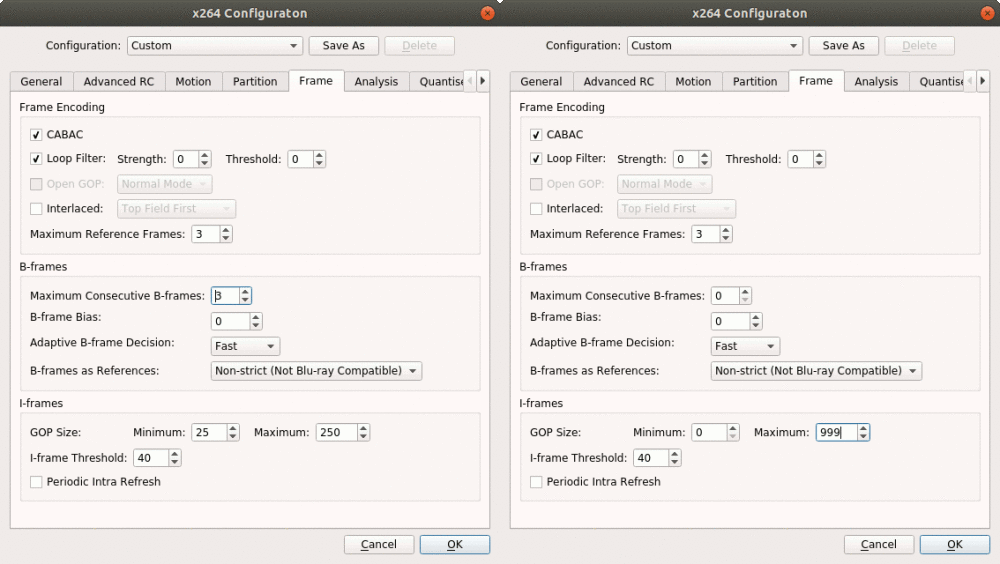
Press OK when done.
In the main window leave Audio Output as Copy and Output Format as Mkv Muxer. With the settings now specified, go to File > Save and give your reencoded file a new name (file_reencoded.mkv).
We now need to open this new file to actually datamosh it! Go to File > Close and then File > Open and select your reencoded video. If you’ve ever followed Weisz’s tutorial, especially the 2nd and 3rd part (or the many copies that have since been made) you’ll already know the process of datamoshing. You can do exactly the same at this point, but for completeness in this tutorial I will go through how to manipulate P-Frames to make the “bloom” style of datamoshing. One of my favourite videos showing this style is Monster Movie by Takeshi Murata.
Using the playhead on the Navigation toolbar, or Left and Right on your keyboard, seek to a part in the video that you want to datamosh that is also a P-Frame. I recommend finding a part of the video that has lots of movement immediately before or after that point. You can tell that you have a P-Frame as the Frame type marker in the Navigation toolbar will tell you. Once there you need to select a P-Frame and copy/paste it over and over again. To do this press the Start Marker button (a red “A” button) (or press Ctrl + PgUP). Then move one frame forward and set press the End Marker button (a white “B” button) (or press Ctrl + PgDn). With the P-Frame highlighted copy it (Ctrl + C) and then paste it (Ctrl + V). And then paste it again. And again. Many times.
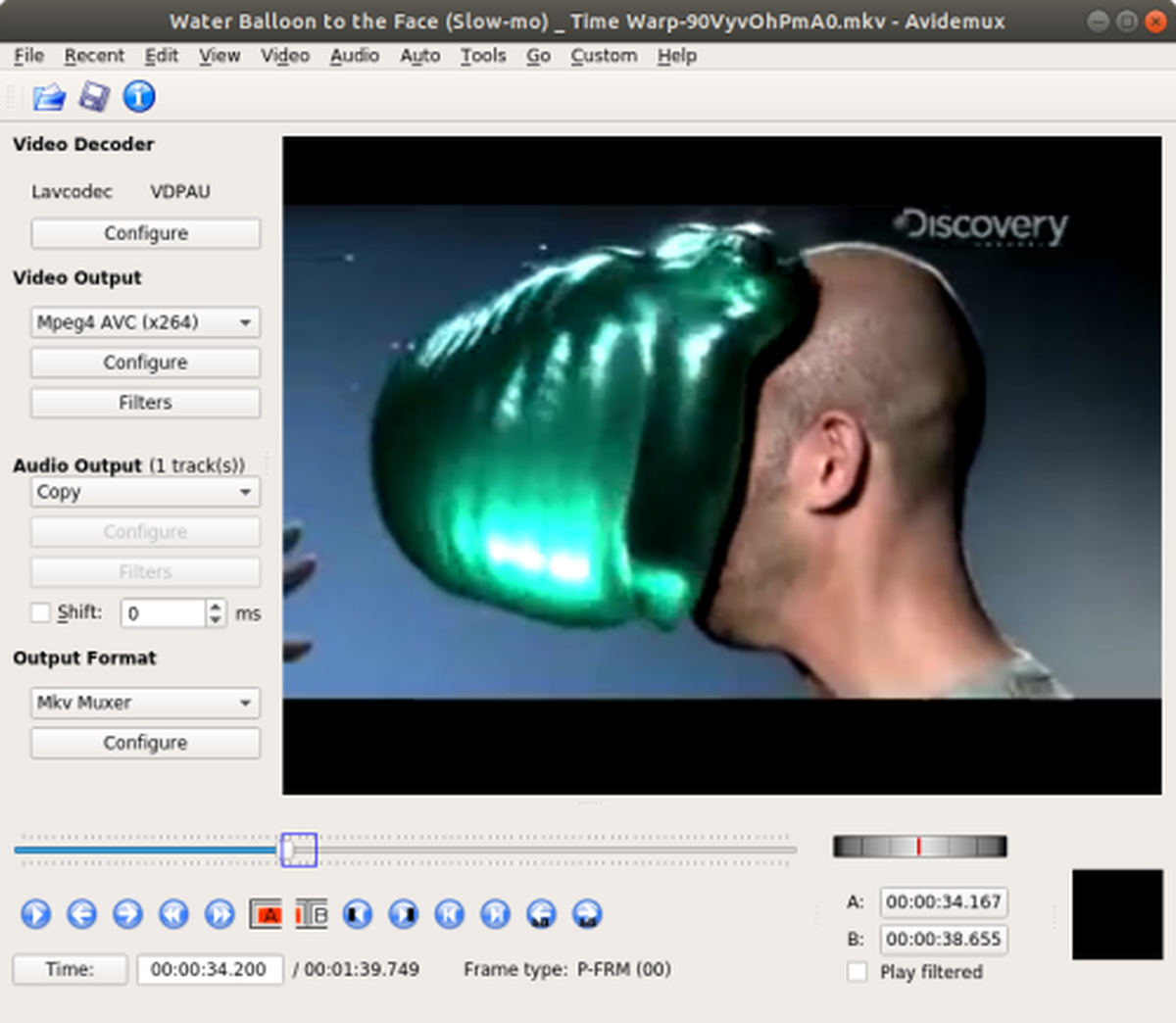
The more that you paste the P-Frame the more movement you will get in the bloom effect. Now, be careful and patient when pasting your P-Frames. There is a temptation to paste it hundreds of times but this will definitely slow down Avidemux whilst it catches up. You may also crash it but I haven’t had this happen yet. Perhaps 2.7.0 is a bit more stable than previous versions!
With your P-Frame(s) now repeated set the Start and End markers to be the whole video instead of just the P-Frames you originally selected. When you do this the blue highlight box might not cover the whole area of the timeline. It’s a UI error but it didn’t negatively affect anything. Leave all the Video and Audio options as they are (set to Copy) and then save your video (File > Save). You will get a warning about cut points not being keyframes.
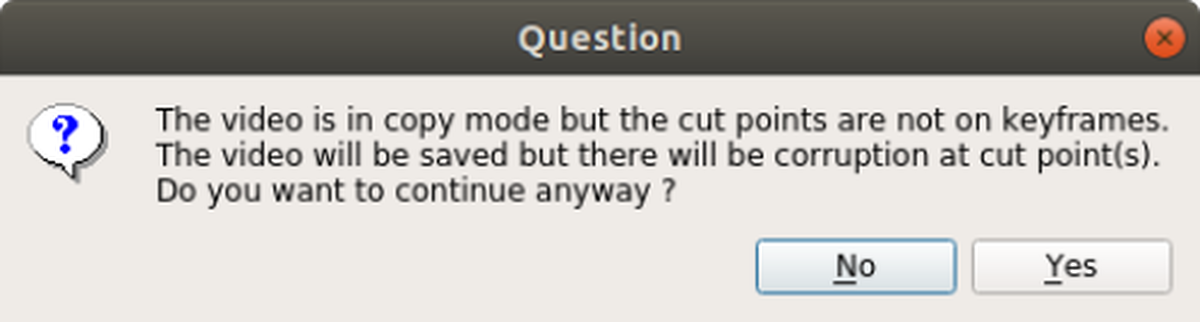
Ignore this and press Yes. Open the finished file in VLC (other players might not like the video).
Voila!
As many others before me have suggested, you may want to resave, or “bake” your glitched file so that your datamoshed file, which is technically a “broken” file, will play well with other video editors and viewers.
As with all things concerning glitch art when you make it you’re doing something unconventional to a file in order to corrupt it in such a way that is aesthetically pleasing. As such, sometimes things just don’t work. Perhaps your video didn’t bloom as much, or maybe removing I-Frames made the file corrupt. I’ve tested this process on Ubuntu 17.10, Windows 10 and Mac OSX and whilst I feel confident that the process will work, the results will be unpredictable. If your result doesn’t turn out as you expect on a particular file then try a different file! Maybe try copy/pasting three P-Frames at a time, or remove some I-Frames. Experiment!

My thanks go to Bob Weisz for originally writing the tutorial and to the community over at the Avidemux forums for clarifying a few things with the new version of the software.