Last month I attended the Co-Position meeting in Brussels of the Libre Graphics Research Unit. I’ve already talked about one of the work sessions in a bit of depth. Today I was alerted that an article I wrote for Furtherfield that gives an overview of the meeting went live!
Click to view the article
How can designers and programmers work more harmoniously? How can the tools being created better meet the needs of users? There is a need for designers to have a greater role in the production of the tools that they use, aside from just reporting bugs, requesting features or designing logos for open source projects.
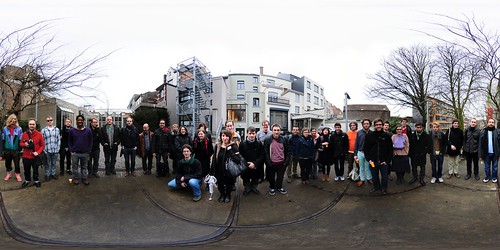
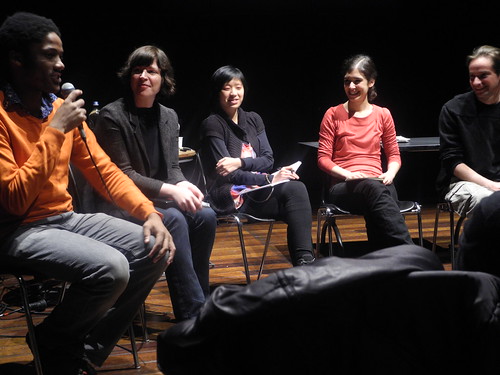
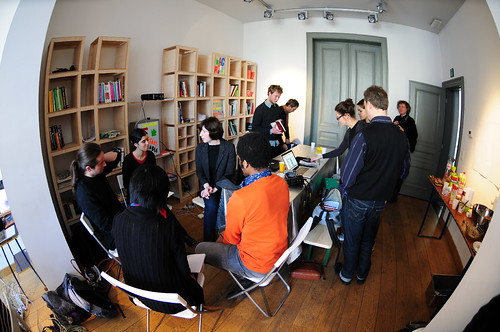
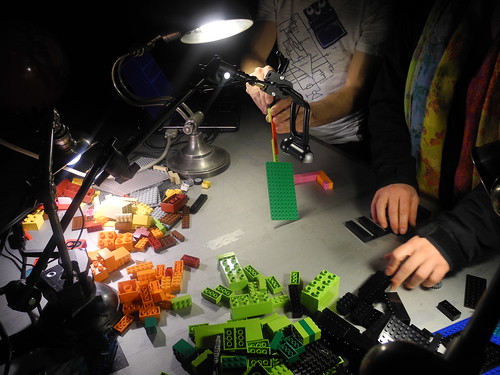
Here’s some of my favourite photos from the meeting from myself and Tom Lechner
Almost all of the LGRU attendeesAt the roundtable discussion (there was no table to speak of)Preparing the roundtable discussionToonloop performance by Alexandre Quessy
One of the hot topics at the Lbire Graphics Research Unit Co-Position meeting came from the Visual Versioning work session. The work session focused on creating mockups for ways to improve their Visual Culture Git Viewer.
OSP Visual Culture Git Viewer
This tool goes some way to addressing the issue of not being able to visualise the contents of a repository by providing thumbnails of the contents. One of the functions missing from this tool is the ability to compare and merge different versions images. Github already provides the ability to compare still images (.jpg .png etc) in various different ways:
Image view modes
However, this is only a way to compare the output of the program. How could revision tools work with PSD/XCF, SVG or SLA files that contain more information such as layers and tools used to complete tasks?
Non-Liner Version Control in GIMP
A team of researchers has attempted to address this problem, at least in GIMP. Their work demonstrates an extremely effective way of doing version control from within GIMP
The research surrounding this tool is available to view and hopefully it’ll one day be implemented into GIMP. Whilst this solution is very effective and address every problem mentioned so far, it creates another problem: It is tied to GIMP and is not easily transferable to other programs. Trying to apply this to other programs such as Scribus or Inkscape would require extra resources, which are in scarce supply. Essentially what is needed is a program-neutral solution that would require few additionaly resources to implement.
Ctrl+Z
Almost all modern programs allow you to undo your actions. When you look at this with more detail you begin to see that undo is a (highly unsafe) method of revision control. By using Ctrl + Z and Ctrl+Y/Ctrl+Shift+Z you can scroll through previous states of a file. All of the data surrounding your use of the program, such as what tools you have used, what files you have opened and possibly even the time each action was executed, are being recorded in the undo history. One solution proposed in the work session was to devise a way to capture and record this data. By doing so you could “play back” the file through each of its stages. Once you have this data you could then begin to build a standalone tool that operates in a similar way to the GIMP revision control tool
Edit Decision List
A very common way in which people implement their own version control system is to create numbered revisions of their files. For plain text files this presents few problems, but for binary files (PSD/XCF etc) it could mean that you have many large files which present a whole host of problems around bandwidth and storage space. Ana Carvalho and Ricardo Lafuente, who produce Libre Graphics Magazine with ginger coons, revealed that the repository for the magazine - including previous issues - has reached 8GB.
The solution proposed at the work session would address this issue as you would only need one copy of the original files that you work from. The “undo data” would be captured to a separate file that would then simply apply those actions to the file.
GEGL
GEGL, which is the new core powering future versions of GIMP is, to my knowledge, already working in a non-destructive way. Peter Sikking, the lead interaction and UI designer for GIMP, has more to say on this topic.
Blender node editor by Dykam
Users of Blender and other node-based compositors will already be familiar with this approach. Effects are chained together in a non-destructive and then sent to an output file. As Pete Sikking describes:
If the structure of [the] graph is written to a file—apart from the input images, all other boxes are just snippets of XML—and a year later it is re‑opened in GIMP, then each of the operations and their parameters; each of the vector shapes or text can be freely changed
If the time can also be recorded then you could essentially reconstruct an image using nothing but the input files and this XML file.
Next steps
Of course, at the moment, all of this is theory and ideas which, in some ways, was the purpose of the work session. For this to be taken further what needs to be done is to first find a way to expose the data that is saved in the undo states. If this data is useful then the next steps can begin. Then, if it looks like a viable solution, all that is needed is developers willing to take on the task.
If you weren’t able to make it out to the streets of London in February to catch the Glitch Art exhibition as part of Bus Tops here’s a video featuring a selection of the works:
For my performance with Freecode as part of Network Music Festival I wanted to move away from producing visuals that consisted mostly of video playback and move towards generative art. Demos of this were posted on my Flickr site, and the first performance that utilised this new approach happened on 26th January
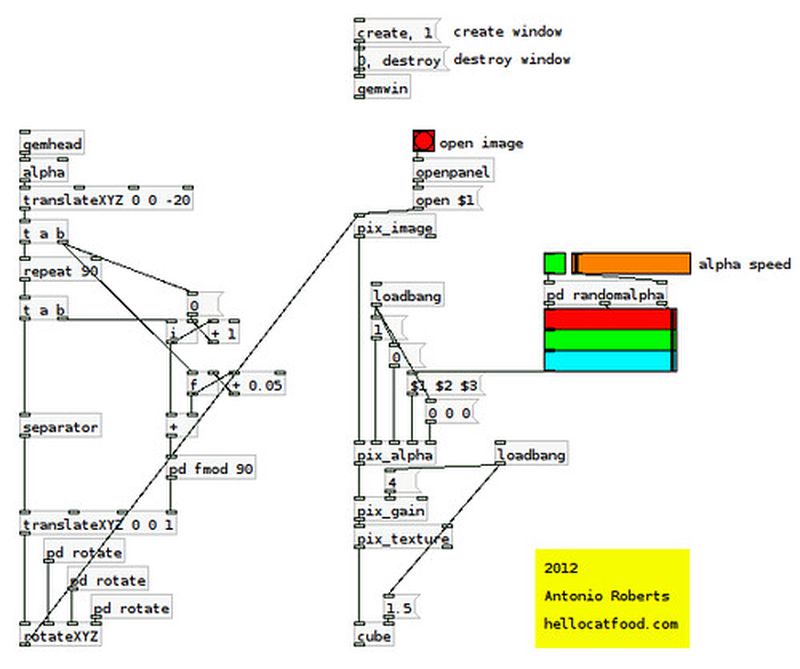
The feedback from people online and at the performance was really positive, with a lot of people were asking how to do something similar. The patch I made for it was very messy so I (albeit slowly) remade part of the patch that achieves that effect. It’s available for download below
Click to Download
This isn’t strictly a generative patch as it still relies on an source image/video as a texture, but I think it’s more generative than it is video playback. The patch, made in Pure Data, works first by using [repeat] to generate many cubes which are zooming towards the screen. These, then, are textured with an image of your choice. The “magic” comes in the use of [pix_alpha]. The red, green and blue sliders remove a percentage of that colour from the image texturing the cubes, revealing the cube below. The green toggle button randomly removes a different percentage of each colour at different speeds. This, coupled with the constant movement of the cubes I think creates a sort of animated glitch using only a still image.
Sound confusing? Hopefully it’ll become clearer once you dissect the patch and view the help patches of each object. Here’s an example of the output from this patch using this image from my Skin Cells video:
If you know Pure Data well you can modify the patch so that it uses videos or a webcam feed instead of a still image. However, be aware that having that many objects on screen with a video stream can cause the output to be stuttery. This patch was made with Pure Data Extended 0.43 on Ubuntu 11.10.