Code

Feedback Loops in Pure Data

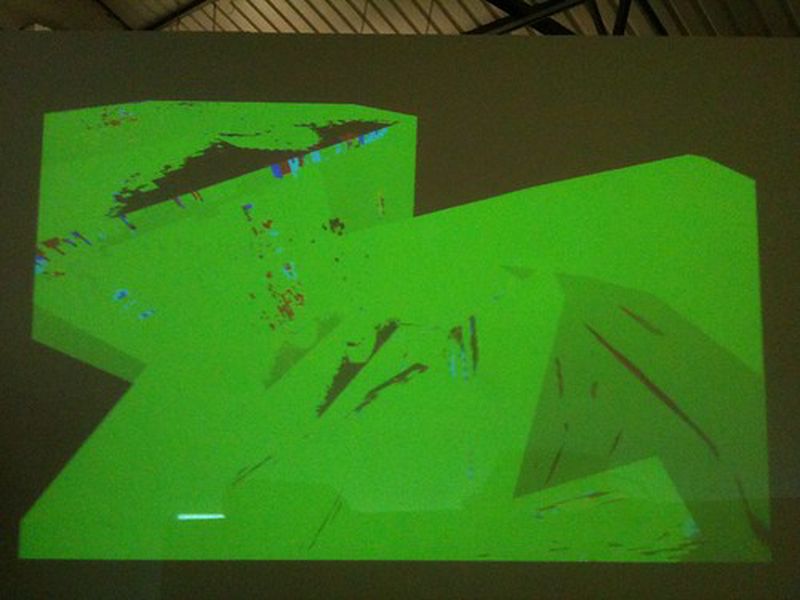
Recently I’ve been making a few video loops for Dreambait Recordings to use in their shows. The videos, made using video samples and Pure Data, focus on feedback loops. For BYOB Birmingham on Friday 16th March I decided to showcase these video feedbcak creations. Some photos of it in action:

BYOB Birmingham

[caption id="" align=“alignnone” width=“500” caption=“Photo by minuek”]BYOB Birmingham Flatpack Festival 2012 [/caption]

Random date generator

Planning any sort of meeting? Don’t leave it to common sense to decide on the most appropriate time, use this random date generator instead!

[caption id="" width=“500” caption=“Click to download”]Click to download [/caption]

Originally built for a.a.s, you can download a copy for yourself. Once loaded press Enter to stop on a date. The date is generated in the format dd/MM/yy/hh/mm/ss. You’ll need Processing and the Commodore 64 font (convert it using Processing), though you can use any font if you want.

Graffiti Analysis at Inside Out

For Inside Out Festival on 24th September I demoed Evan Roth’s Graffiti Analysis software. The hoardings outside Friction Arts’ building have just been dying to be tagged, so I felt this software would give the opportunity to do so, but in a very safe method. You can see some still shots here on Flickr and even download the tags for your own viewing pleasure. For this there were a few tasks to overcome. The Graffiti Analysis capture and playback software has reached version 3, but only for Mac’s (at the moment). Version 2, which is available for Windows and Linux is still very capable. However, for Linux, the files created in the capture application don’t work with the playback application. They create their own .graf files and the playback application can only handle .gml files. d’oh! Luckily I was able to enlist the skills of the ever talented Andrew Thomas, who created a Processing script that converts between the two files (tested on version 1.1). You can download this and try it for yourself. It hasn’t failed me so far!

Echobender

Myself and Mez recently finished a script called Echobender that automatically databends images.

[caption id=“attachment_1766” width=“500” caption=“Click to view on GitHub”] [/caption]

To use it you’ll need:

  • A computer with Linux installed. I don’t have a Windows or Mac PC so I can’t test it on those
  • Sox. On Ubuntu you can install it via sudo apt-get install sox
  • Convert, which is part of ImageMagick. On Ubuntu you can install it via sudo apt-get install imagemagick

Once you have those installed just execute ./echobender.sh from the terminal and then drop a .jpg or .bmp file into it. The output will be in a folder called “echo”.